
Your Privacy is Not a Concern
The first step to digital independence is removing your past, but prepare for pain.
Part 1 of 3 in a series about reclaiming independence from (mostly) American (Big) Tech.
The following is a slightly revised and updated version of a newsletter I sent a year ago (feel free to subscribe on my website).
As “digital sovereignty” has come in vogue, it may seem a supra-national, political, almost mythical thing. I’m here to tell you that sovereignty starts with you. The internet has gone from a high-trust, unregulated space to a low-trust, regulated, and also heavily surveilled space. On top of this, it’s not just state surveillance, but also surveillance capitalism and good-old greed shitting all over the place.
To become digitally sovereign, and centering on you, the first step is to take control of your own digital footprint: where you exist, what data companies carry on you, and (down the road) look for better alternatives, if you truly need them.
Today, let me describe some of what I’ve seen when “exercising my GDPR rights”, also known as “oh this account has never been used, let’s delete it”.
As part of my general data housekeeping and exit from various services, social media — well, only LinkedIn, since that’s the only social media I’ve had for many years — and various other places on the internet that keep my data, I’ve seen a lot of ways of empowering (or rather disempowering me) as a consumer to take control of my data.
If you are in the Apple ecosystem and keep passwords in the native Password app, you can nowadays simply open up the app and get a sense of your digital presence. I remember, not so nostalgically, and not so long ago, how one had to do this in Keychain Access. Full hacker points, but zero life points, gained.

Whatever way you store passwords, consider taking a quick tour to understand your digital presence, and thus, data privacy footprint.
In a cleanse I did last year, I went from almost 200 accounts to just under a hundred. Some of these were easy to remove, some impossible so I had to abandon them (out of sight, out of mind, and all that jazz). Zooming back just a bit further in time, I think I had more like 300+ accounts.
Currently, as of 2026, I have just north of 40 accounts, discounting anything related to work. Most of them I feel are worth sparing, covering anything from critical to actually useful, but there’s still some pruning (5–10 accounts?) that I could do over the summer. It’s worth keeping in mind that accounts, when viewed in for example Apple Passwords, might have optical duplicates when you have passkeys and such. So while 40–50 accounts sounds big, it’s actually a quite slim account presence.
Let me share some examples of what I’ve seen doing that pruning and what I think of it. All examples are from 2025 and 2026.
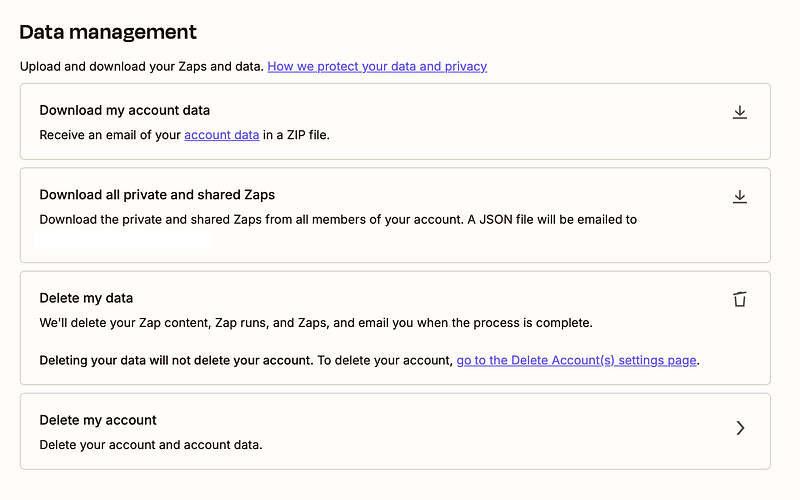
Our first example is of a good, I’d even say ideal, way of handling the closing of an account and removal of your data.
The company in question is Zapier, an automation platform. This is, as far as I care, “the right way”. If you do anything more complicated than this, you should ask yourself why on earth would you make it worse.
Another (semi-)good example would be Strawberry (a Nordic hotel chain) where I can easily delete my account. However, there is no response (just an infinite spinner) and no indication — such as a success message — that the action has been completed. Instead, you will find yourself unceremoniously logged out when you reload the page. Besides that last half, the flow itself is great and understandable.
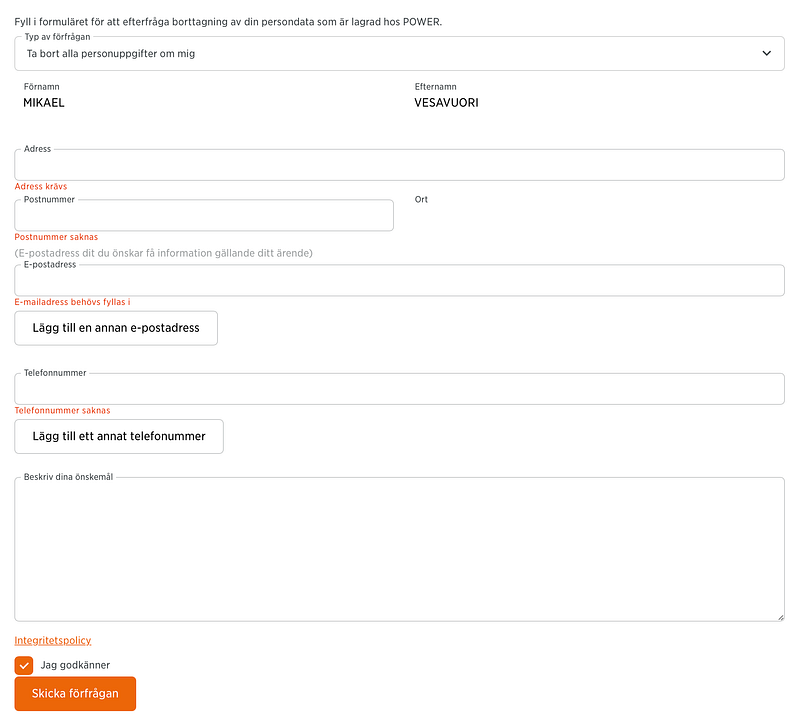
Next up: The applicable form on Swedish electronics store Power’s website. Notice how I have to give them my personal data for them to remove my personal data. While, well, perhaps somewhat logical (ensuring you are indeed you), you probably already sense the weird feedback cycle here.
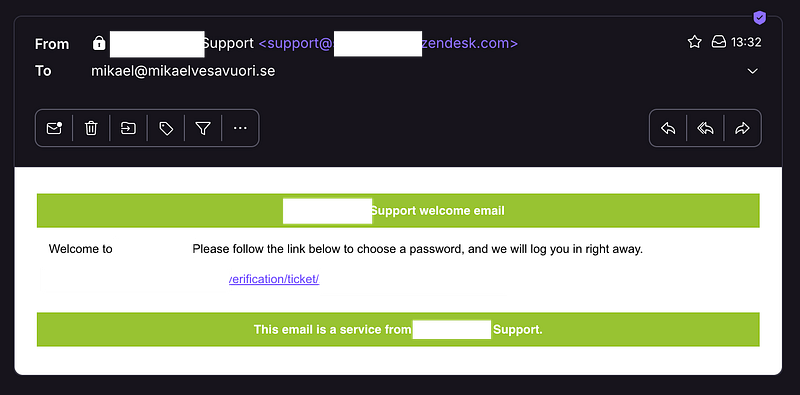
I did a quick POC at work with a database vendor I will not mention here. Now it was time to remove that account. Unbelievably, I had to create another account to ask support to remove my actual account (this interaction happens on Zendesk). There is no way to remove your account directly in the user interface and any customer details changes happen via this type of support. Useless.
While not a common pattern, I’ve seen this flow a couple of times now.
I used Viaplay to stream the excellent and bizarre third season of Riget/The Kingdom (aka Riget Exodus) a few years ago. Now it was time to close the account. There is no way to do so in the logged-in mode — always this friction — and I am sent off to find my own answer: get in touch with customer support. However… they make it excruciatingly hard to actually talk to them. Surprised? In fact, on the “contact us” page, it takes three interactions to f***ing even uncover the support email address.
Witness:
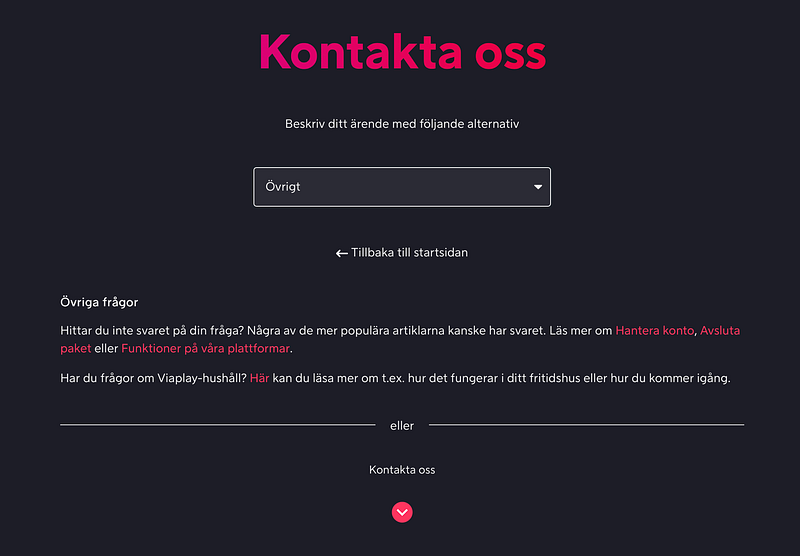
Having clicked “Kontakta oss”, this happens…

Yeah, I get it that you recommend the chat. But I want to send an email. Clicking “Klicka här…”.
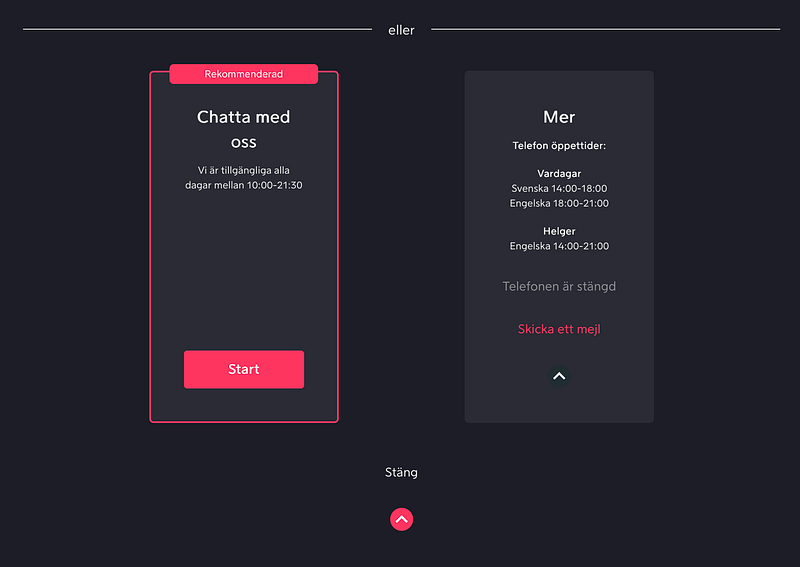
OK. That’s still not helpful. Clicking “Skicka ett mejl”…
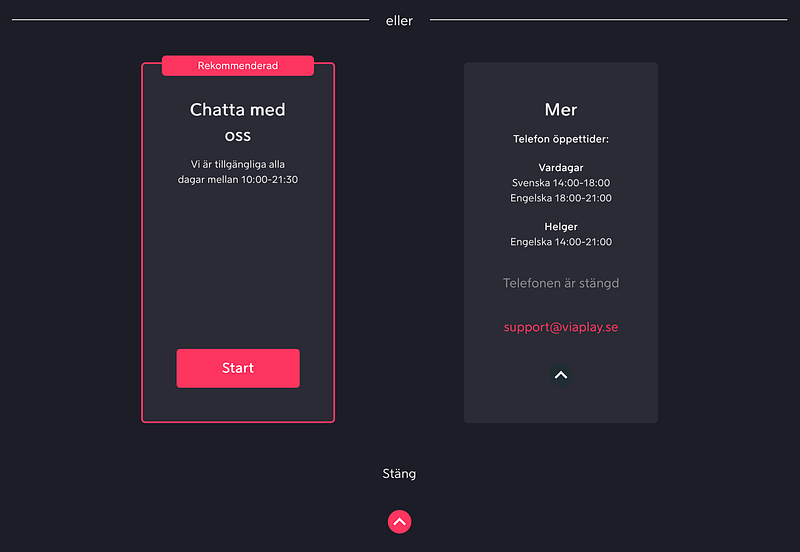
Ah! That wasn’t so hard, was it! 🤬
Running away from Microsoft is harder than you think
So that was bad. But the most extreme badness I have encountered remains Microsoft.
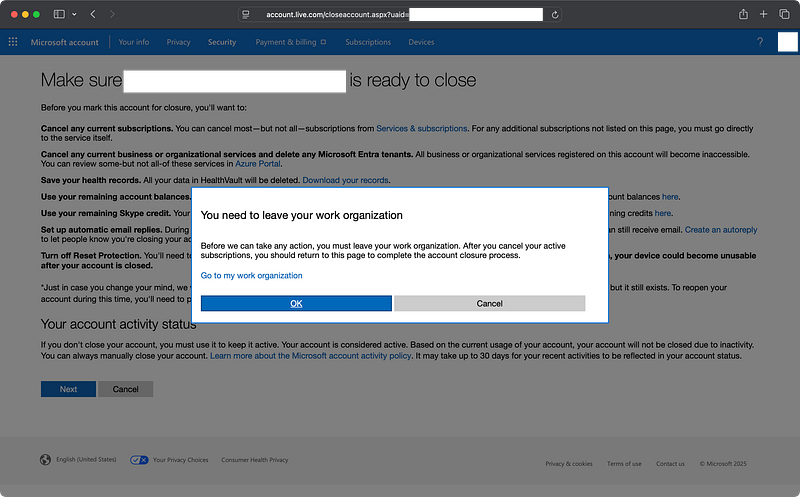
This is a complicated shitshow and I’ll just share a bit of the details to keep it concise.
In all, Microsoft is a monster — encompassing everything from email, to cloud platforms, to games and beyond. To remove an account there means handling your account across multiple, somewhat disintegrated platforms, such as the Office 365 portal, the Azure portal, the MS Entra portal, and probably more.

I get depressed just writing these words, but suffice to say, fulfilling some prerequisites before you are able to remove your account are extremely opaque. For example, you may have “hidden” enterprise applications bound to you that are invisible in any of the portals. Oh, and you may not be able to login to all portals, so good luck with that (I can only access two of them, I think). To remove these hidden apps, if you have them, requires downloading, installing, and wrangling Powershell.
If you hate your life, go ahead and look at https://learn.microsoft.com/en-us/entra/identity/users/directory-delete-howto as a starting indication of what you are dealing with.
As someone who is fighting to get away from Microsoft — hey, good luck and God speed to anyone else trying to shut down their account — I will officially go on the record and call Microsoft what they are: Oracle 2.0.
- 🤑 Having to pay to get support to close down your account? Check.
- 🤐 …Else having to suffer getting “support” from unpaid (?) forum attendants who barely know English? Check.
- 🤬 Extreme lock-in methods that are decidedly anti-consumerist? Check.
- 😵 Tons of dark patterns, infinite loops, and impenetrable documentation? Check, check, check.
So… yeah. That’s where we are. Screw Microsoft and I will never touch that company or its products, even with a 10 foot pole, again.
But then, finally…
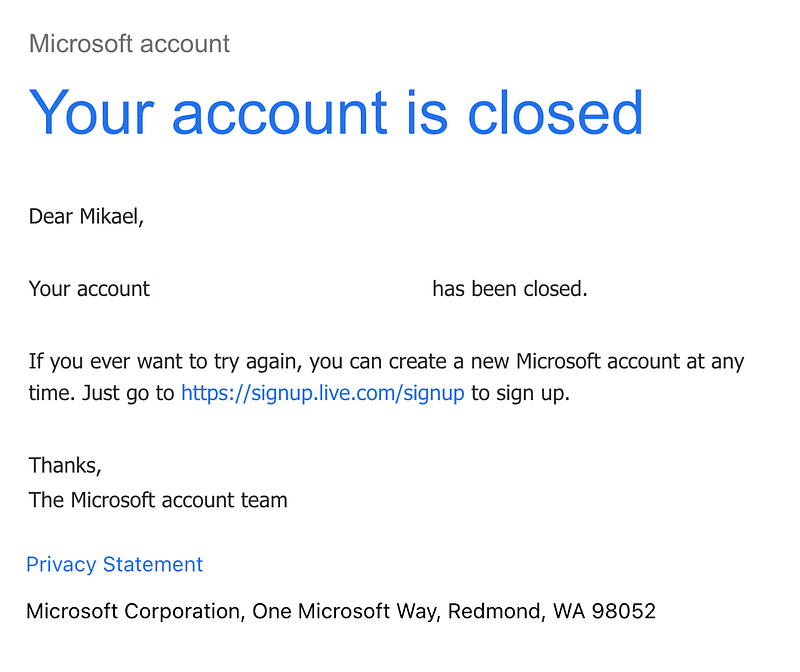
Pro tip: Ask your AI assistant for advice in the process, that helped me.
The probably most common pattern I have seen is to email general customer support. This is fairly low-friction, but it’s also something that to me feels quite unsafe as I don’t necessarily need to identify myself. For the flow to be useful I also need to know the correct email address.
For example, deleting my account at another electronics store, I was directed on their FAQ to contact customer support for data deletion requests. However, once doing so, I was rerouted by the responding staff to another email address dedicated to this matter. While this case was quite low in friction, in the big picture, having conflicting information about critical abilities required by law is hardly advisable.
A third, very big, electronics store requires to (for real) fill in a PDF and sign it and send it to a GDPR-specific email address. Not very handy, is it?
While perfectly “legal”, I don’t consider emailing a “privacy” email address or filling in a disguised OneTrust form neither the easiest, most convenient, nor most user-centric way to remove your information. With certain services more friction makes sense — i.e. if you are Google — because there might be collateral effects and even accounts with companies who have been acquired. Still: If you can avoid the email or OneTrust form, ignore them.
Ticketmaster is one of these companies with the OneTrust portal which I loathe. I’d take a contract written in chalk on papyrus over OneTrust any day.
A third common flow is to talk to support — using different names, such as “advisor” at EA Games — over chat. This is fairly easy and seems quite secure. However, I believe anything that requires human intervention is a bad system, and something that won’t scale. Unsurprisingly I had to talk with an Indian support guy about this. He was great! But the fact that companies keep setting up class-based structures like this is appalling.
Also, I will mention that I’ve found so many dead ends, such as accounts that I’ve probably already deleted but remained in Passwords, as well as login URLs that no longer function, sometimes because the company behind it no longer exists. You are bound to find quite a few of these too, as you tend to your digital presence.
If you want to clean up accounts I recommend these resources:
- An older article of mine: Zero to Zen: Instant, Easy Wins for Your Online Life
- JustDeleteAccount.com
- JustDeleteMe
So, what have we learned today?
Don’t trust a company on any metric other than how easy they make it for you to leave them.